What Is Work IQ? The Engine Behind Copilot Cowork
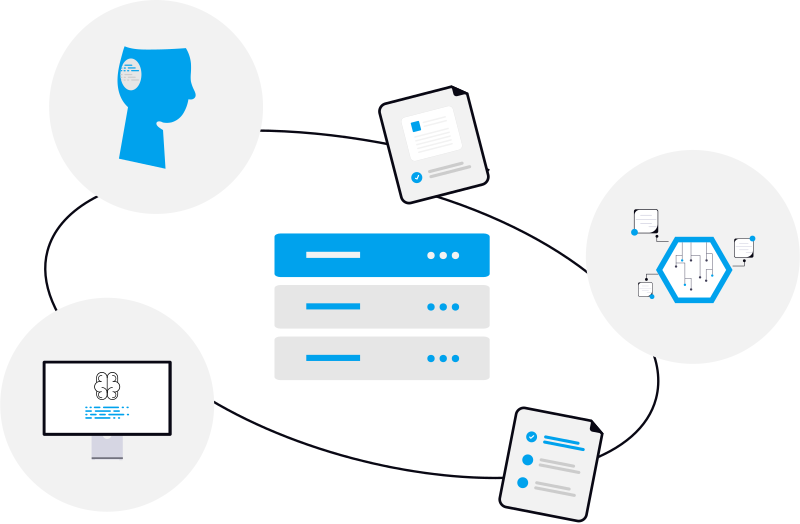
When you ask Copilot Cowork to "summarize my week" or "pull the latest numbers into a deck," it already knows which meetings, emails, and files you mean. You never explained any of it. That's Work IQ doing its job. It's the part of Microsoft 365 that gives Copilot Cowork an understanding of your work, and it's the reason Cowork can actually *do* things instead of just chatting.
Microsoft's own documentation explains Work IQ for developers, and it's heavy going. Here's the plain-English version for the rest of us, framed around what it means for Copilot Cowork.
In one sentence: Work IQ is Microsoft's workplace-intelligence layer - the part that lets Copilot Cowork understand your work data (email, files, calendar, chats, and more) so it can act on it. Think of it as Cowork's memory and senses.
Why Copilot Cowork needs Work IQ
An AI model on its own is smart but clueless about *your* world. It doesn't know your projects, your inbox, or last Tuesday's meeting. For Cowork to complete real, multi-step tasks across Microsoft 365, it has to understand your specific work data. Work IQ is that understanding layer. Microsoft calls it "grounding": connecting the AI to your actual business context so its output is relevant and accurate instead of generic.
What Work IQ does, in plain terms
Microsoft splits Work IQ into four parts. Here's each one without the jargon.
Context: it gathers the right information for you
This is the big one. Instead of you hunting down the relevant emails, files, and chats and feeding them in, Work IQ assembles that context automatically and hands Cowork ready-to-use information. You describe the outcome; it works out what's relevant. That's what lets Cowork "just know" what you're talking about.
Tools: a few simple actions that work everywhere
Rather than hundreds of fiddly commands, Work IQ gives agents about ten simple actions - basic verbs like *fetch*, *create*, and *update* - that work across your mail, calendar, files, people, chats, and sites. Think of it as a universal remote: a handful of buttons that work on everything, instead of a different remote for each app. It can even figure out how your data is organized on the fly, so it doesn't need a custom integration built for every system.
Workspaces: a desk for long jobs
Big tasks have intermediate steps. Workspaces give Cowork a persistent scratch space inside your own Microsoft 365 tenant to keep its work-in-progress, reuse results, and hand off between steps, so a long task doesn't lose its place. It's like a desk where Cowork lays out its work while a multi-step project is underway.
Chat: agents that can talk to each other
Work IQ lets agents collaborate and pass work back and forth while keeping continuity, delivering Copilot-quality answers along the way. In practice this is what lets a task move smoothly between steps and specialized agents.
It only ever sees what you can see
A fair worry with any AI that touches your work data: what can it actually access? Work IQ is permission-aware and user-scoped. Every request runs as *you*, so it can only see and do what you're already allowed to. A central policy engine enforces detailed rules on each request, and every action is logged for auditing. In short, it respects the same permissions and compliance rules as the rest of Microsoft 365.
How this connects to Copilot Cowork (and what it costs)
Copilot Cowork is one of the experiences built on top of Work IQ. It's the reason Cowork "already knows your schedule, your files, and how you work." Developers can also build their own agents on the Work IQ API, which offers standard A2A, MCP, and REST endpoints.
On cost: Work IQ uses usage-based billing and is managed in the Microsoft 365 admin center, separate from your Copilot license. For licensed Copilot users it's available across the Copilot experiences; usage by custom or third-party agents is billed by use. It's the same pay-for-what-you-use philosophy as Copilot Cowork's pricing.
Do you need to do anything with it?
For most people using Copilot Cowork: no. Work IQ runs quietly behind the scenes - it's simply *why* Cowork understands your work. It becomes something to think about if you're an admin (you manage its governance and cost in the admin center) or a developer (you can build agents on its API).
The bottom line
Work IQ is the context engine under Copilot Cowork. The model is the brain; Work IQ is the memory and senses that connect that brain to your actual work, safely and within your permissions. It's the unglamorous layer that makes "hand a task to AI" actually work. New to Cowork? See our complete guide to using Copilot Cowork or browse practical tips.
Frequently asked questions
What is Work IQ in simple terms?
Work IQ is Microsoft's workplace-intelligence layer. It lets AI agents like Copilot Cowork understand and act on your work data (email, files, calendar, chats) across Microsoft 365, within your existing permissions. It's the context engine that makes Cowork aware of your specific work.
Is Work IQ the same as Copilot Cowork?
No. Work IQ is the underlying intelligence layer, while Copilot Cowork is one experience built on top of it. Cowork uses Work IQ to ground its tasks in your data. Other agents and apps can use Work IQ too.
How does Work IQ keep my data secure?
Every request is user-scoped, so it only accesses what you are already allowed to see. A central policy engine enforces detailed rules on each request, and every action is logged for auditing and compliance, within the same trust boundary as the rest of Microsoft 365.
Does Work IQ cost extra?
Work IQ uses usage-based billing managed in the Microsoft 365 admin center, separate from a Copilot license. For licensed Copilot users it is available across the Copilot experiences; usage by custom or third-party agents is billed by use.
What can developers do with Work IQ?
Developers can build their own agents and apps on the Work IQ API, which offers A2A, MCP, and REST endpoints plus a compact set of generic tools for reading and acting on Microsoft 365 data, with governance built in.